
SendScan Scanner with Workflows
SendScan Scanner with Workflows website
Discount / Deal
40% OFF Pro Lifetime only $ 5.99
The discount is available through
Product Overview
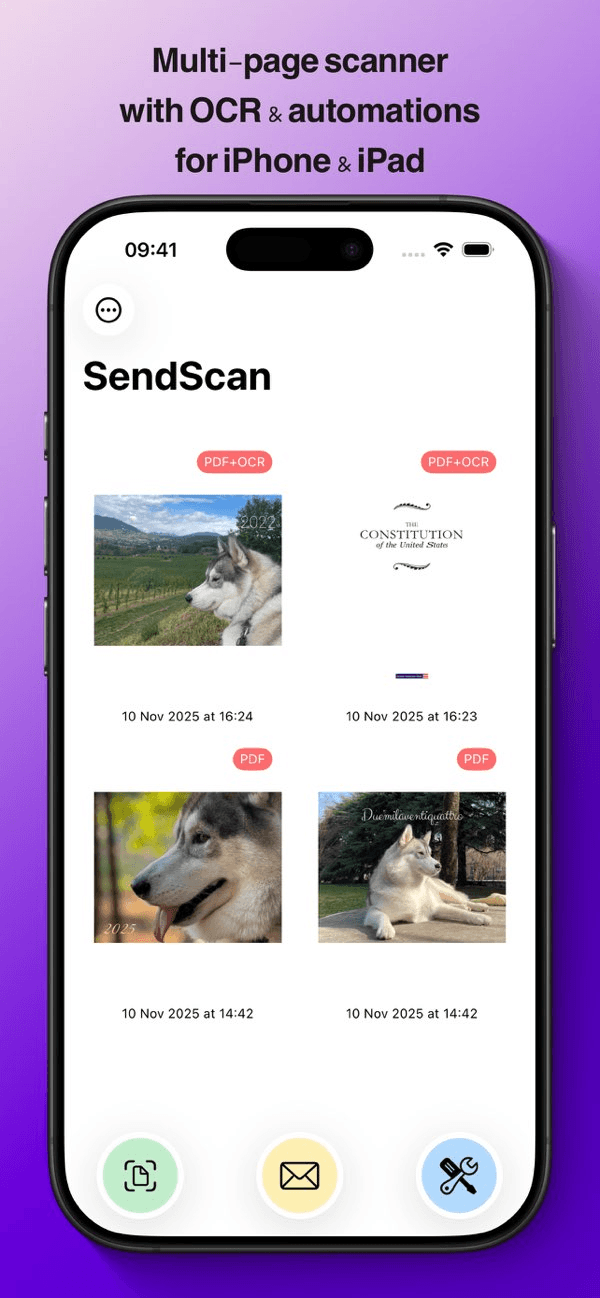
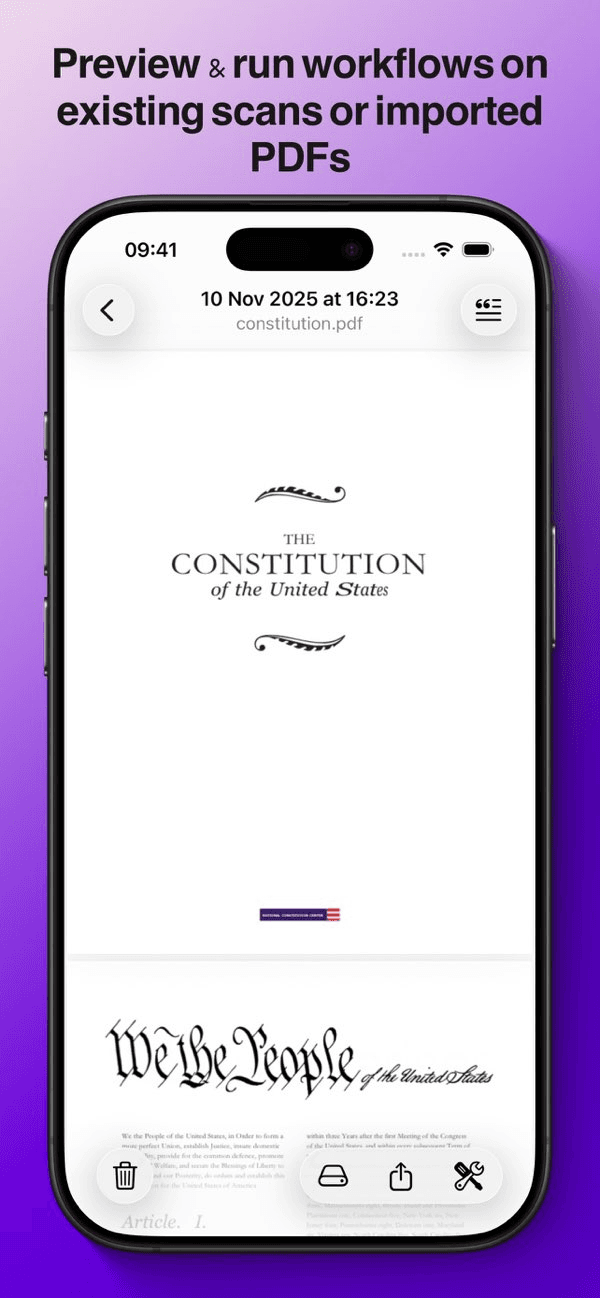
Stop doing the same thing after every scan. SendScan combines a powerful multi-page document scanner with OCR and automation workflows: scan, rename, email, save... one tap, fully automatic!
Private iCloud sync. No accounts. No analytics. Built for iOS & iPadOS 26.
SCAN ONCE, AUTOMATE EVERYTHING
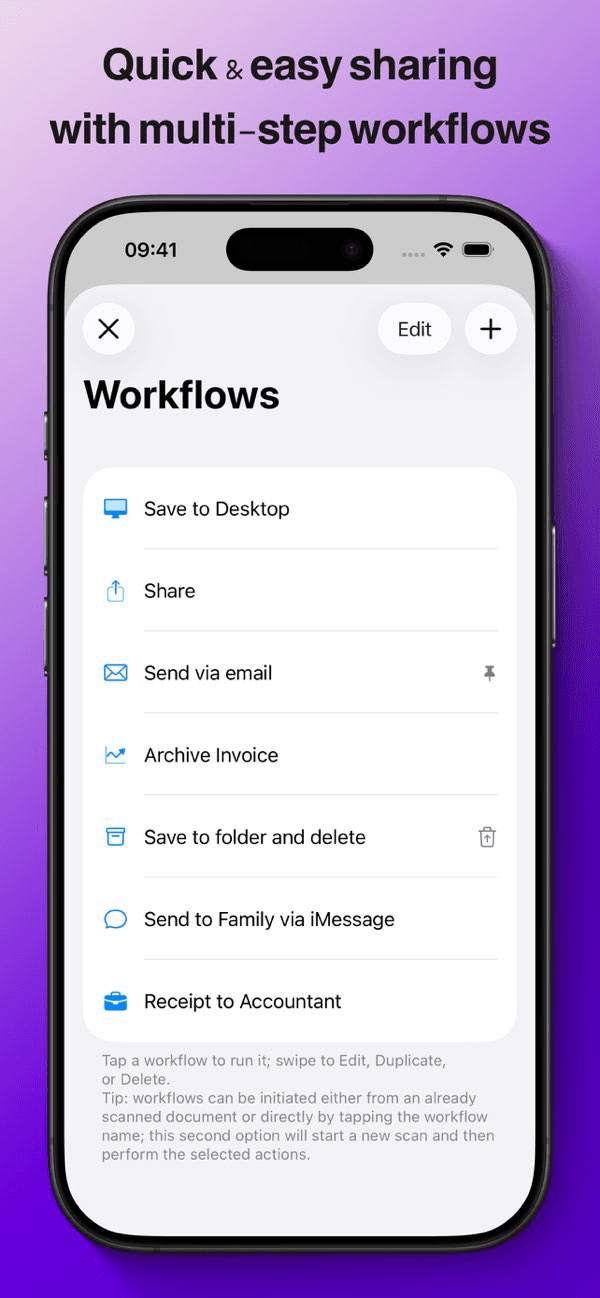
Stop wasting time on repetitive tasks after scanning. Create custom workflows that automatically:
- Save to specific folders: Route documents to the right place instantly
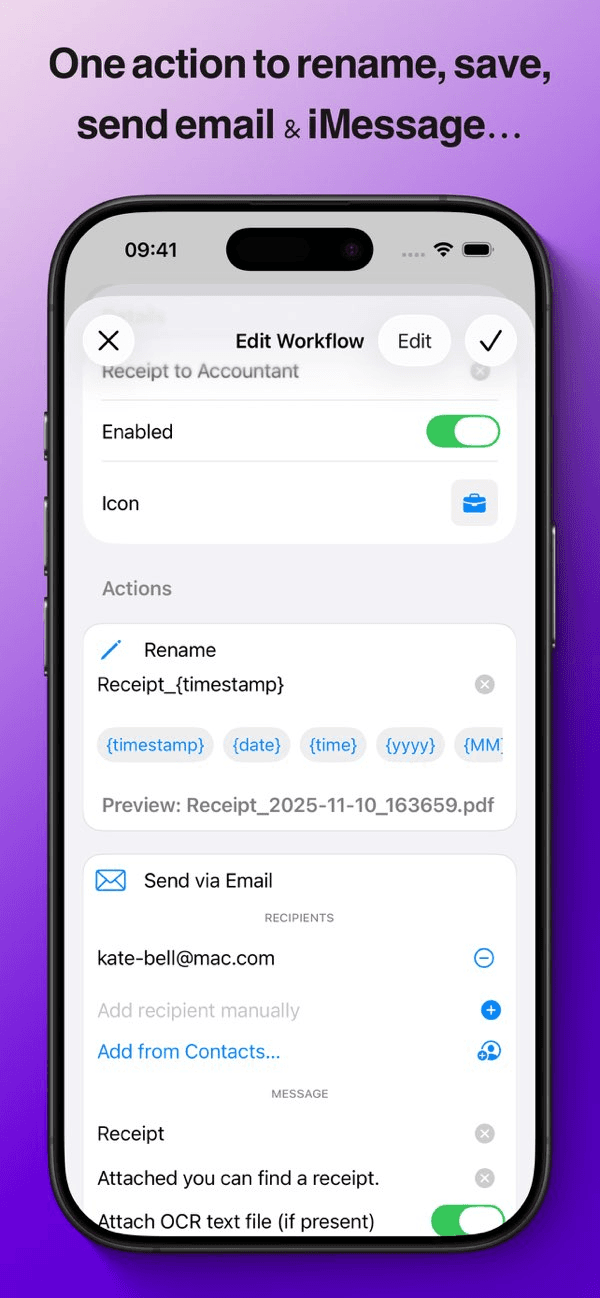
- Email directly: Send scans to clients, colleagues, or yourself with pre-filled subjects and messages *; multiple recipients are supported and you can either type in their address or pick from your device's Contacts
- Share via Messages: Like for email, add recipients and share via Messages automatically *
- Share seamlessly: Use the system share sheet to send documents anywhere
- Rename intelligently: Apply naming patterns with timestamps, dates, and custom tokens
- Chain actions: Combine multiple steps into a single tap
- Optionally delete after the workflow completes
- A confirmation tap before sending is required by iOS.
OCR & SEARCHABLE PDFs
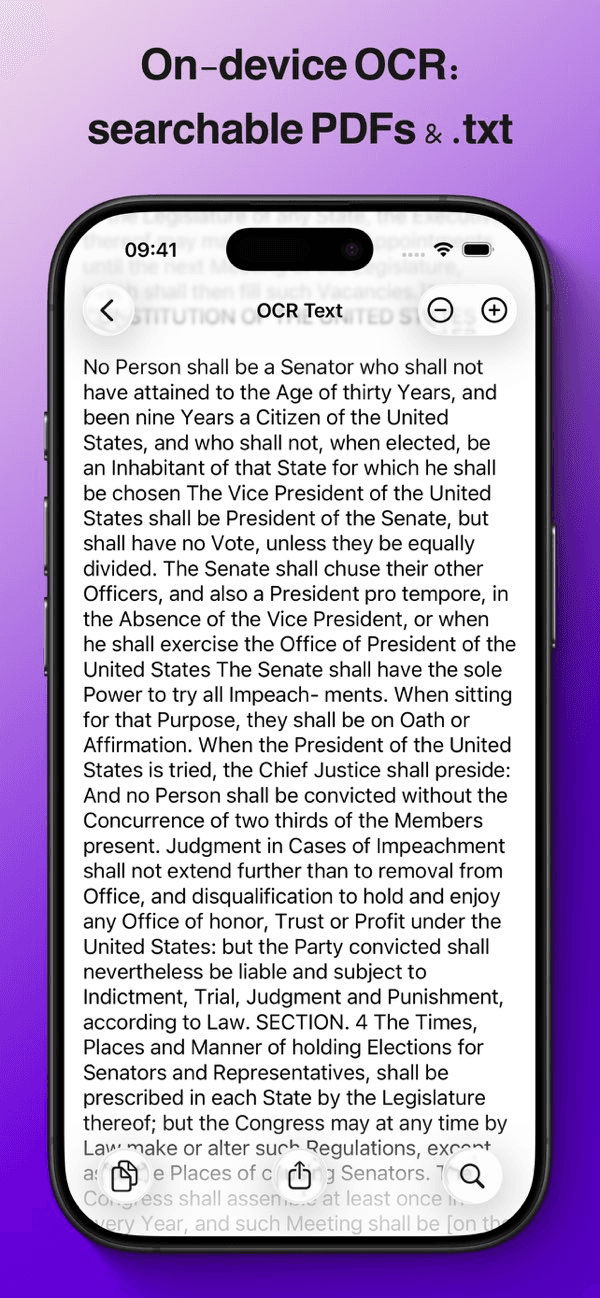
Make your scans searchable and extract text automatically, privately on-device:
- Searchable PDFs: Enable automatic OCR to create PDFs with invisible, selectable text layers with per-word accurate position in search
- Text extraction: Every OCR'd scan includes a companion .txt file for easy text access
- TXT viewer: View and search recognized text with highlighting and font controls
- Share plain text: Quickly share extracted text without the PDF
- Manual OCR: Add text recognition to existing PDFs with one tap
- Workflow integration: Automatically attach .txt files when emailing or sharing
- Quality control: Save as PDF (multi-page) or JPG (one per page) with adjustable quality and compression
WIDGETS, SHORTCUTS & QUICK ACTIONS
Scan and run workflows without opening the app:
- Home Screen widgets: One-tap access to your most-used workflows
- Recent documents widget: See thumbnails of your latest scans
- Lock Screen widgets: Scan from your Lock Screen
- Control Center: Add scanning to your quick actions
- App icon Quick Actions: Long-press the app icon to scan or run pinned workflows
- Pin workflows: Add your favorite workflow to the center toolbar button for instant access
- Shortcuts integration: Build advanced automations with Apple Shortcuts
SMART FILE MANAGEMENT
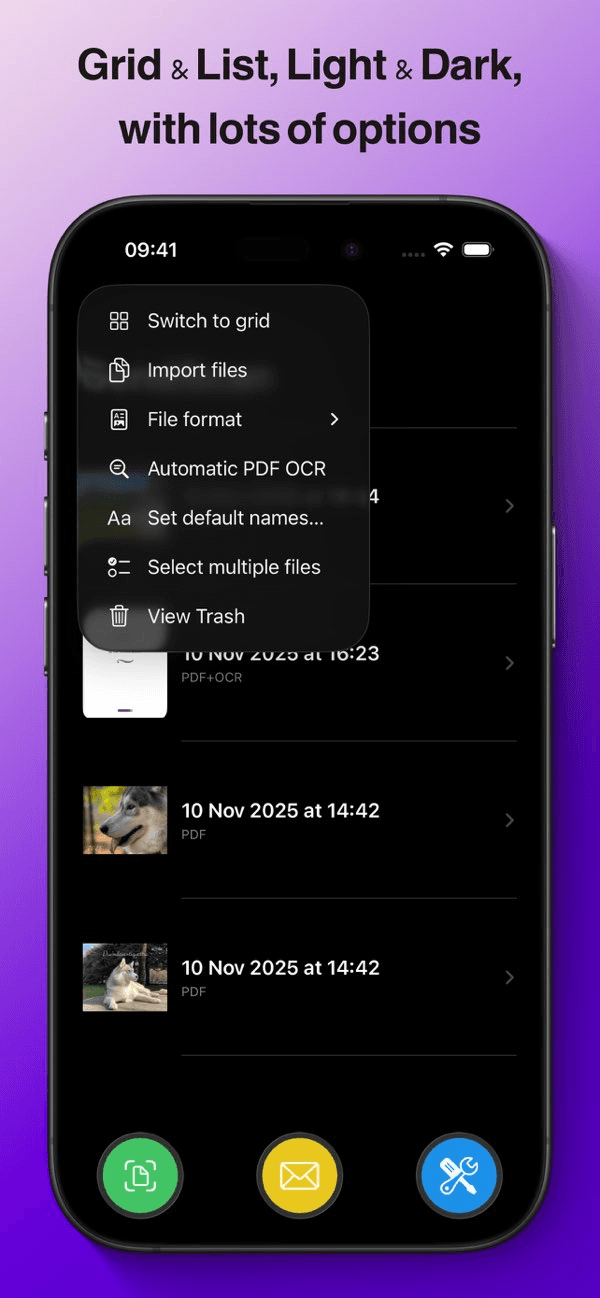
- Grid or list views: Choose your preferred browsing style
- Rename and organize: Flexible file management with naming templates
- Multi-select: Batch operations for efficiency
PRIVACY YOU CAN TRUST
Your documents belong to you, period.
- Zero analytics or tracking: No telemetry, no third-party libraries
- Local-first storage: Documents stay on your device
- Private iCloud sync: Your data syncs via your personal iCloud Drive with Apple's encryption; the developer cannot access your files
- No account required: No sign-ups, no data collection
FREE TO START, PRO WITHOUT BREAKING THE BANK
Free tier:
- Unlimited scanning
- Run each default workflow 3 times to try them out
SendScan Pro (yearly subscription or lifetime unlock):
- Create unlimited custom workflows
- Chain multiple actions in a single workflow
- Full automation power, without limits
- Lifetime unlock includes Family Sharing: Share with up to 5 family members
BUILT FOR iOS & iPadOS 26
Designed with Apple's latest Liquid Glass visual language for a beautiful, modern experience on iPhone and iPad.
Terms of Use (EULA): https://www.apple.com/legal/internet-services/itunes/dev/stdeula/ Privacy Policy: https://cdf1982.com/privacy/sendscan_privacy_policy.html
Product Details
SendScan: Scanner + Automation App - App Store
Download SendScan: Scanner + Automation by Cesare Forelli on the App Store. See screenshots, ratings and reviews, user tips, and more apps like SendScan:…
Recommended Products











This product was categorized under
And under the following subcategories